
MARA ANALYZER

Evidence, in working context.

MARA Analyzer is a dedicated workspace for examining collected evidence, reviewing available records, and preparing supported outputs.

MARA Analyzer · synthetic case
MARA Analyzer evidence review workspace showing a synthetic case

A CLOSER LOOK

Follow the evidence.

From reviewing a conversation to understanding its source. Two short looks inside the Analyzer workflow.

REVIEW & SELECT

The records that matter.

Move from the case overview into messages, select relevant records, and prepare the agreed output.
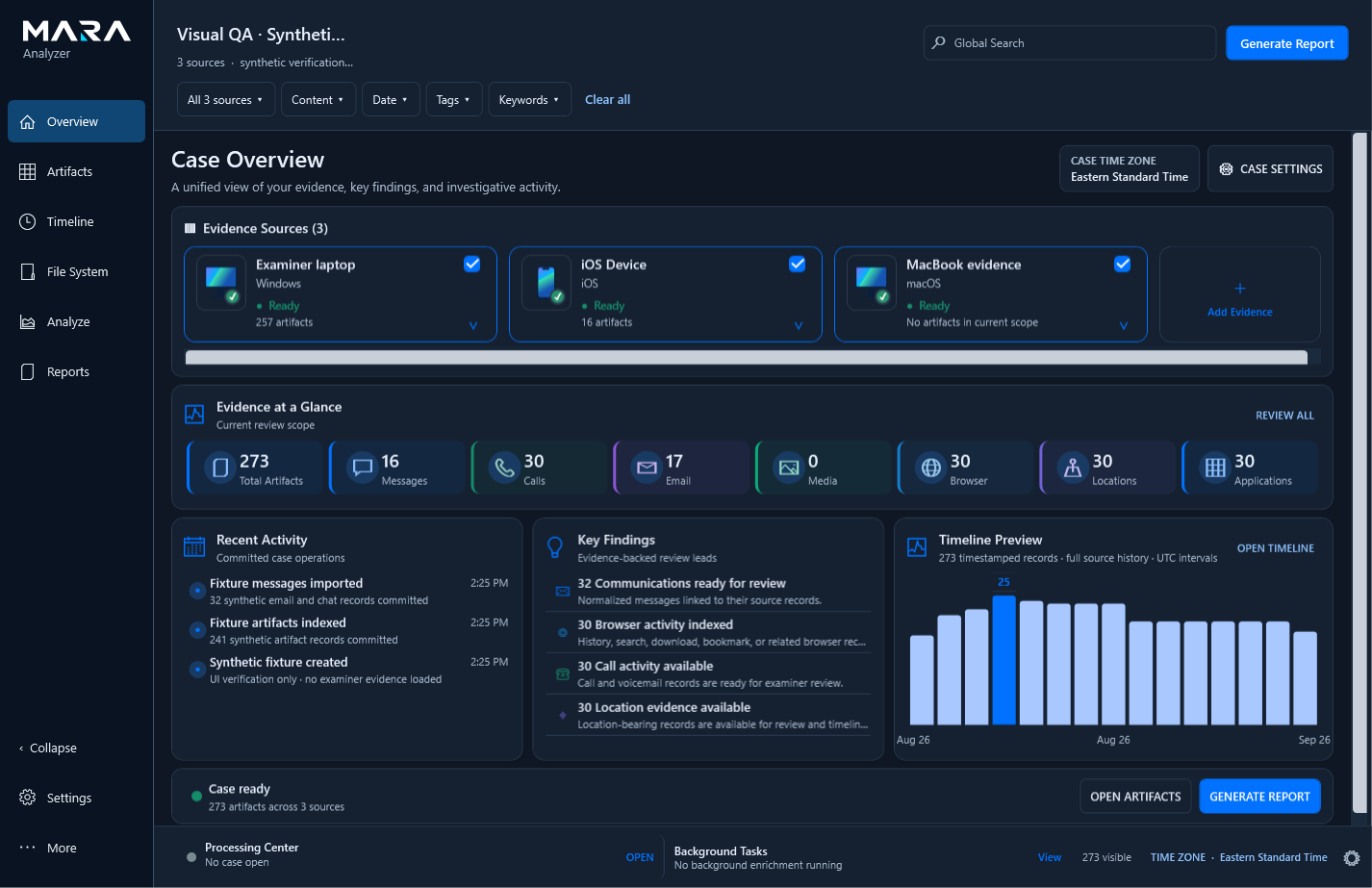
MARA Analyzer overview of a synthetic demonstration case
Start with the evidence overview.Actual overview + illustrative interaction · sample data

Overview → review records → select evidence → prepare the agreed output.

Still preview. The sequence shows the overview, message review, record selection, and export preparation.
KNOW THE SOURCE

A device. Its details. Its context.

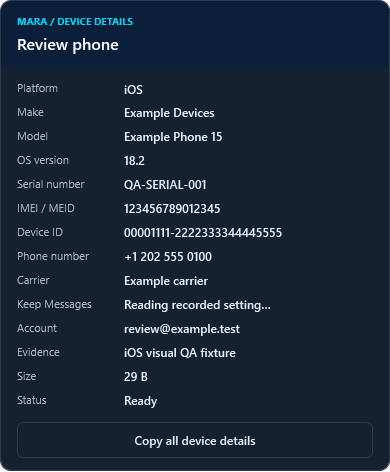
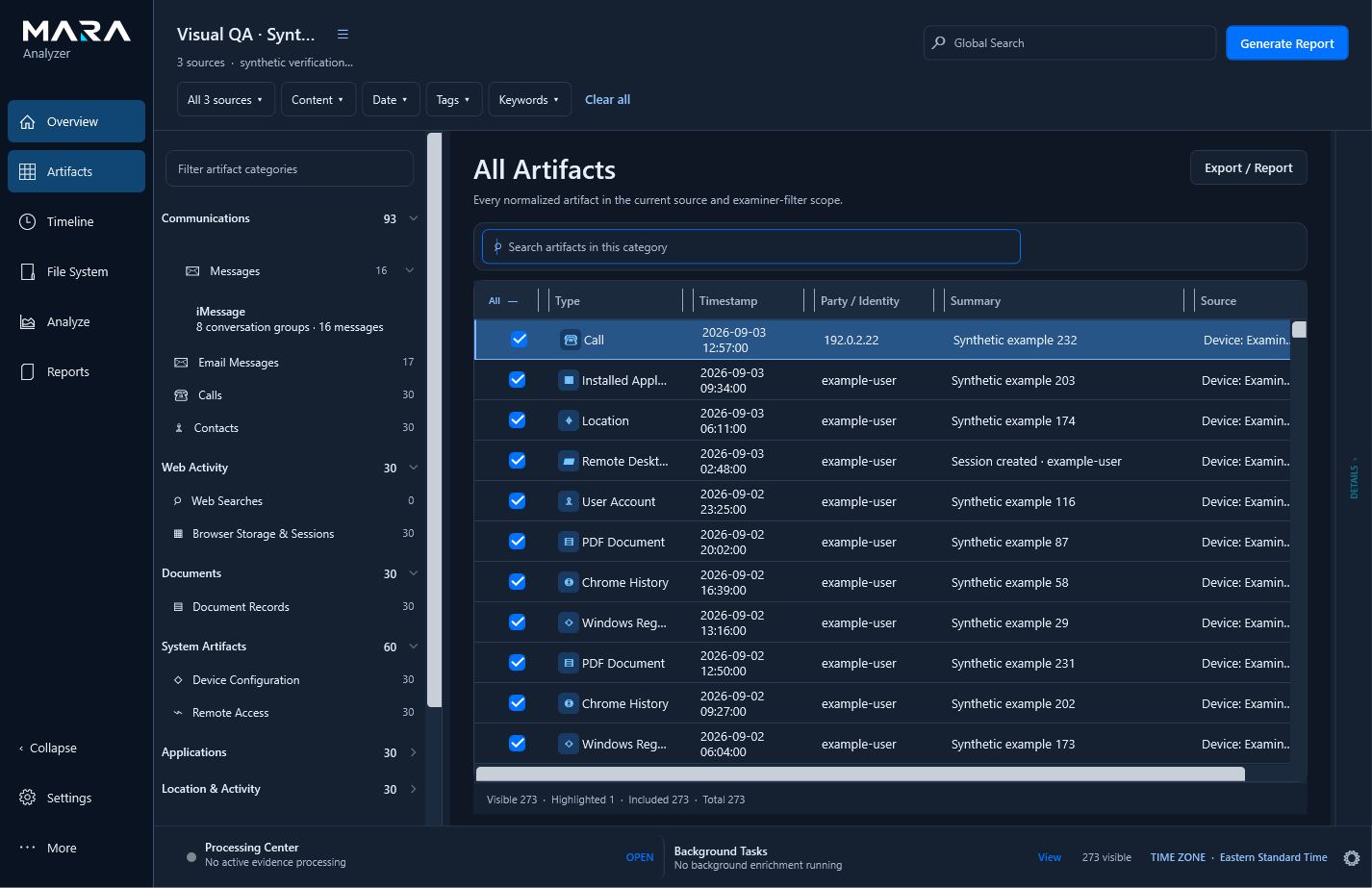
Open a device from the case overview to inspect the recorded device details, evidence source, and processing status.

Analyzer case overview with three synthetic evidence sources, including an iOS device
Actual Analyzer device details panel for a fictional review phone. Includes platform, model, OS version, account, evidence source, and Ready status.
Start with the evidence sources.Actual application captures · animated presentation · synthetic case

Still preview. Open the iOS source to review the recorded device information and its evidence status.

View the device details at full size (opens in a new tab)

PLAIN-ENGLISH EVIDENCE

Make sense of
the record.

Unfamiliar artifact? Start with a clear explanation.

Analyzer puts plain-English explanations alongside the evidence: what a record means, why it may matter, and what it cannot establish on its own.

Recognized artifacts receive source-specific interpretations. Other records receive a cautious explanation of the available information.

Open Details for the explanation, its source basis, and its limits.Illustrated walkthrough based on Analyzer’s interface · Fictional records
Read the walkthrough
  1. Open KnowledgeC under Location & Activity.
  2. Select the record with /device/isLocked and value 0.
  3. Read the Plain-language Interpretation column: “The device recorded a transition to the unlocked state.”
  4. Open Details → Meaning for What this means, forensic significance, limitations, and additional source interpretation. This record alone does not identify who used the device or why.

Explanations support evidence review. They do not replace examiner judgment.

MARA ANALYZER

The evidence.
In working context.

MARA Analyzer provides a dedicated workspace for examining collected evidence, reviewing available records, and preparing supported outputs.

The views below come from the working application with a synthetic demonstration case. They show the evidence workspace at a useful scale, with full-size images available for a closer look.

Acquisition, substantive examination, and the final evidence handoff serve different needs. The Analyzer product and managed analysis services are discussed separately from a remote collection engagement.

REPORTING & DELIVERY

Review it in MARA.
Take it where it needs to go.

Tell us who needs to read the material and how they will use it. We’ll discuss the supported output, what it contains, and the handoff for the relevant release.

Review first. Then agree the output.

Analyzer views show a working synthetic case. Supported outputs and any reporting or analysis service are discussed separately for the receiving team’s needs.

For a legal reviewer

A readable supported export helps a recipient review the material it contains. It does not turn collected records into an investigative findings report.

For a forensic or discovery team

Bring the receiving team’s format and workflow requirements into the discussion before output is prepared.

A CLEAR BOUNDARY

Review is a stage.
Findings are another.

The workspace helps examine available records. Substantive findings reports, expert testimony, and any prepared case viewer are separate conversations agreed for the engagement.

LET’S TALK ABOUT YOUR NEXT STEP

Discuss the next stage of review.

Tell us about your examination or reporting needs, and the team receiving the result.

Discuss MARA Analyzer

Please keep confidential case information out of the initial inquiry.